AI in Web Development, Explained
AI is changing how websites are designed, written and supported. Here is what it can do for a business site, and the checks to make before you rely on it.

AI helps web teams work faster by drafting layouts and content, answering common customer questions, spotting bugs and personalising pages. It does not replace strategy, brand voice or quality checks. Use it for first drafts and repetitive tasks, review every output, protect customer data and keep a person responsible for what goes live.
- 1AI is most useful for first drafts, repetitive work and quick support answers.
- 2Every AI output needs a human check for facts, tone, accessibility and links.
- 3Never paste private customer data into a tool you have not checked.
- 4Strong foundations still win: fast pages, clear structure and genuinely helpful content.
Every business owner I speak to now asks the same thing: should AI be part of our website? The honest answer is yes for some jobs and no for others. This guide explains how AI is changing web development, what it can do for a business website, and the checks I make before using it. It is written by ARYAN MIYA MANSOOR, an SEO and web visibility consultant in Nepal.
Why AI matters for web development now
A website used to be a one-off project: design it, build it, launch it. Today it is a living asset that needs fresh content, fast pages, quick answers for visitors and steady fixes. AI tools make several of those jobs quicker, which is why more agencies and freelancers have added them to their daily work.

The change is mostly about speed and effort. A task that took an afternoon can often get a first draft in minutes. That does not remove the need for skill. It moves the skill towards choosing, checking and improving what the tool produces.
How AI is changing the way websites are made
- Planning: faster research, sitemaps and page outlines to discuss with the client.
- Design: quick layout options and image ideas to react to before real design begins.
- Development: code suggestions and automatic checks that catch common mistakes.
- Content: first drafts of titles, descriptions, FAQs and product text.
- Support: chat assistants that answer common questions at any hour.
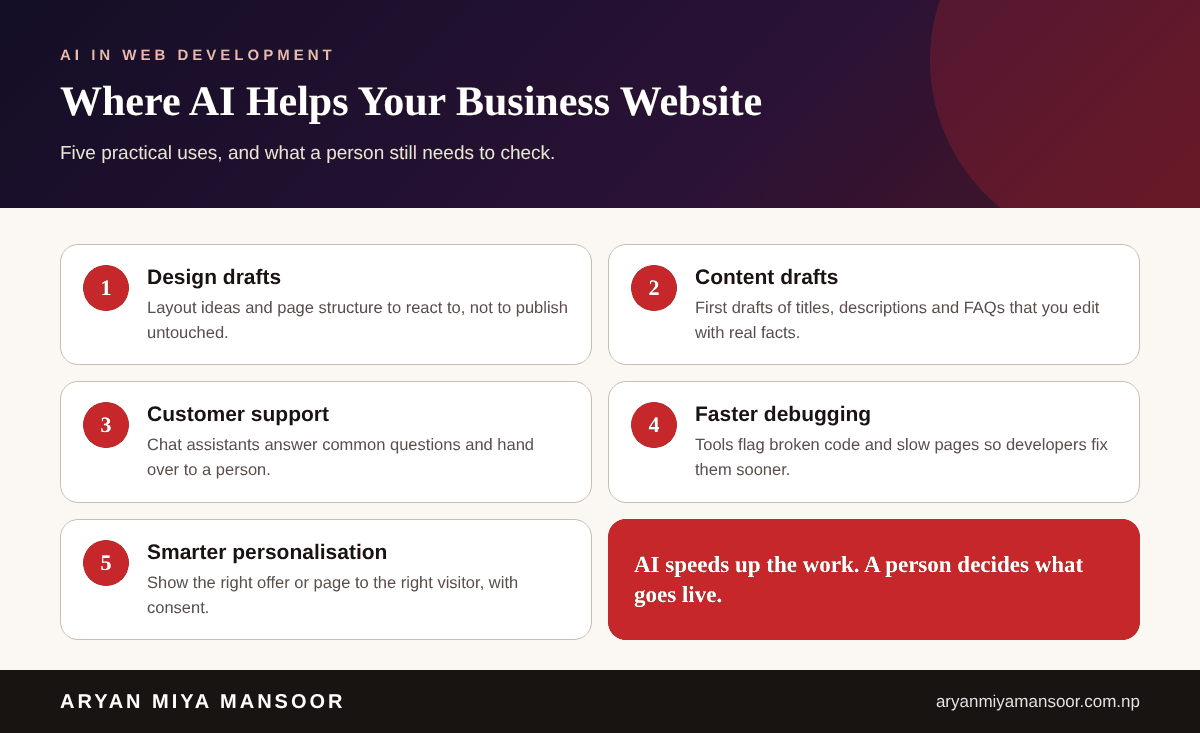
What AI can do for a business website
Speed up design and page structure
AI can propose a layout for a services page or a list of sections for a landing page. That helps you start the conversation, but the final structure should follow how your customers decide. Good UI/UX design still begins with real users, not a prompt.
Draft content you then make your own
A draft saves time, yet generic text rarely persuades anyone. Add your prices, process, examples and local detail. Google's guidance is clear that helpful, original content is what counts, so edit every draft until it says something only your business can say. My content writing service follows this approach.
Answer customers faster
A chat assistant can handle opening hours, delivery areas and basic pricing questions, then pass harder questions to a person. Keep the answers short, accurate and easy to correct.
Find and fix problems sooner
Automated checks can flag broken links, slow scripts, oversized images and accessibility gaps. Fixing those matters more for visitors and search than any clever feature.
Personalise what visitors see
With consent, a site can show a returning visitor the pages or offers most relevant to them. Start simple, and be open about what data you use.
What to check before using AI on your website
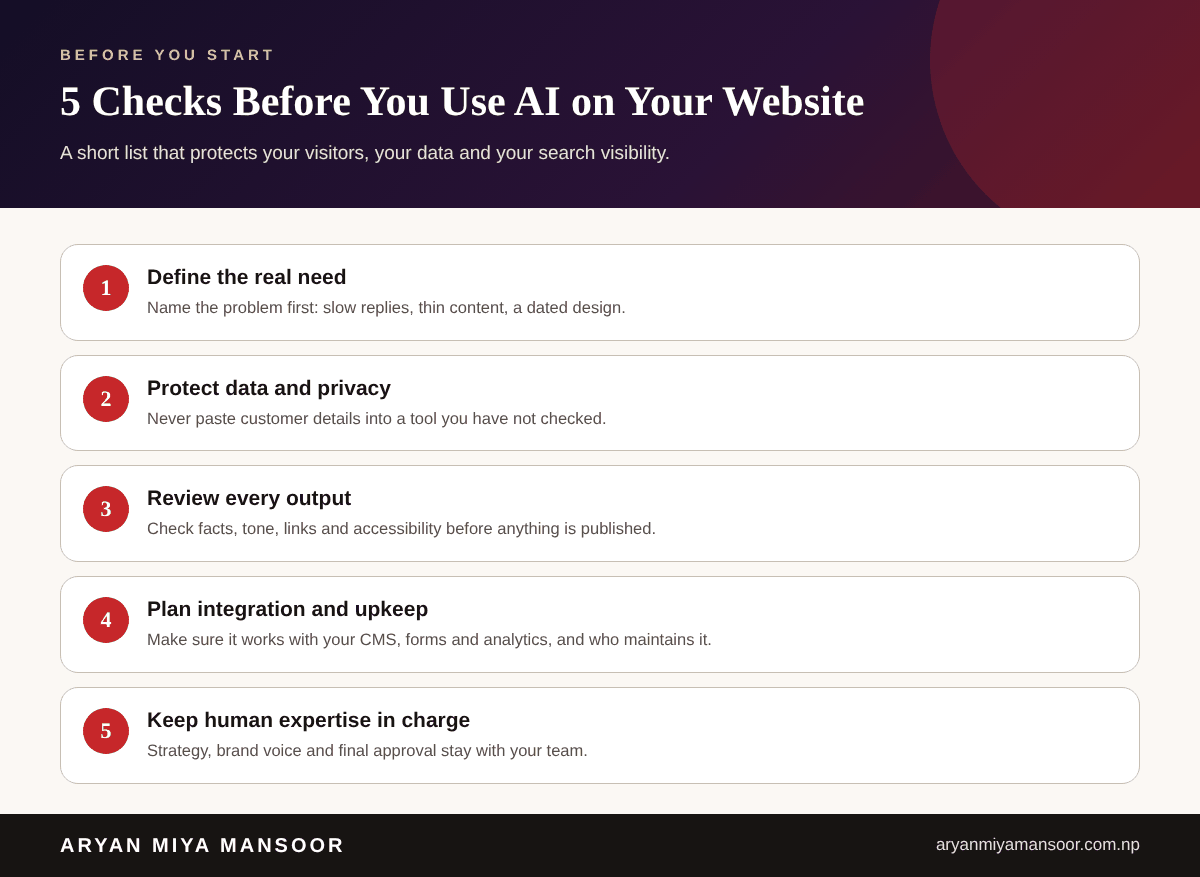
These are the five checks I make with clients before adding any AI tool.
- 1. Define the real need. Name the problem first, such as slow replies or thin content, then choose the tool.
- 2. Protect data and privacy. Do not paste customer details into a public tool, and check how a vendor stores data.
- 3. Review every output. Check facts, tone, links, spelling and accessibility before publishing.
- 4. Plan integration and upkeep. Make sure it works with your CMS, forms and analytics, and decide who maintains it.
- 5. Keep human expertise in charge. Strategy, brand voice and final approval stay with your team.
How to choose the right approach for your site
Step 1: Define your goal
Decide whether you want more enquiries, more sales, faster support or lower workload. One clear goal makes every later choice easier.
Step 2: Understand your audience
Know what your customers search for, which language they use and what makes them hesitate. AI can help summarise research, but it cannot replace speaking to real customers.
Step 3: Pick the right technical setup
Your platform and budget shape what is practical. Many Nepal businesses do very well on WordPress, while complex products need custom work. Read my guide on WordPress vs custom website development before you decide, or see my web development in Nepal service.
Step 4: Plan the structure and content
Map your pages, write the key answers and prepare your images. This is also where search visibility is won. If you want help, see the SEO expert in Nepal page.
Step 5: Develop, test and launch
Test on phones and desktops, check speed, forms and accessibility, and only then go live. After launch, measure results in Google Search Console and Analytics and improve in small steps.
AI, search and the future of web development
People now ask AI assistants questions that used to go to Google, so clear answers and consistent business details matter more. This is the focus of answer engine optimization. Expect websites to be judged on how helpful they are to both people and AI systems, which is good news for businesses that publish honest, useful pages.
Conclusion
AI is a powerful assistant for web development, not a shortcut around good strategy. Use it for drafts and repetitive work, protect customer data, review everything and keep a person accountable for the result. Done that way, it saves time and helps your website serve customers better.
Related reading
Frequently asked questions
Related searches and topics
Need help applying this in your market?
Sources and further reading
- Google Search Central: Using generative AI content ↗
- Google Search Central: Creating helpful, reliable, people-first content ↗
- web.dev: Core Web Vitals ↗
This guide reflects my own hands-on experience and Google's published guidance at the date shown. Search changes, so check official documentation for the latest rules. Results vary by business and market; nothing here is a guarantee.
Aryan is Technical Director and SEO Manager at Softsaro Nepal and a senior SEO specialist with over 4 years of hands-on experience in SEO, Answer Engine Optimization and Generative Engine Optimization. He is based in Kathmandu, Nepal, and works remotely with businesses in Nepal and the UAE as an independent consultant, following Google’s published guidelines with no link schemes or ranking guarantees.