The 12-Point On-Page SEO Checklist
Twelve simple checks for every page: titles, headings, meta descriptions, URLs, images, links, schema and speed, with examples you can copy.

On-page SEO means improving the elements on the page itself so search engines and people understand it. Check the title tag, one clear H1, heading structure, meta description, short URL, helpful content, image alt text, internal and external links, canonical tag, structured data and page speed. Review every page against the list before you publish.
- 1On-page SEO covers what is on the page: content, titles, headings, links, images and markup.
- 2Write for the reader first, then make the page easy for search engines to understand.
- 3Use one H1, clear subheadings, a useful meta description and a short URL.
- 4Check speed and mobile use, and keep a record of what you changed.
On-page SEO is the part of search optimization you fully control: the content and code on your own pages. This checklist gives you twelve checks to run on every page before it goes live. It is written by ARYAN MIYA MANSOOR, an SEO consultant in Lalitpur, and it works whether you manage one website or many.
What is on-page SEO?
On-page SEO covers everything on a page that helps search engines and visitors understand it: the words, the headings, the title and description, the images, the links and the markup. It sits alongside technical SEO and off-page SEO, and it is usually the fastest place to make a measurable improvement.

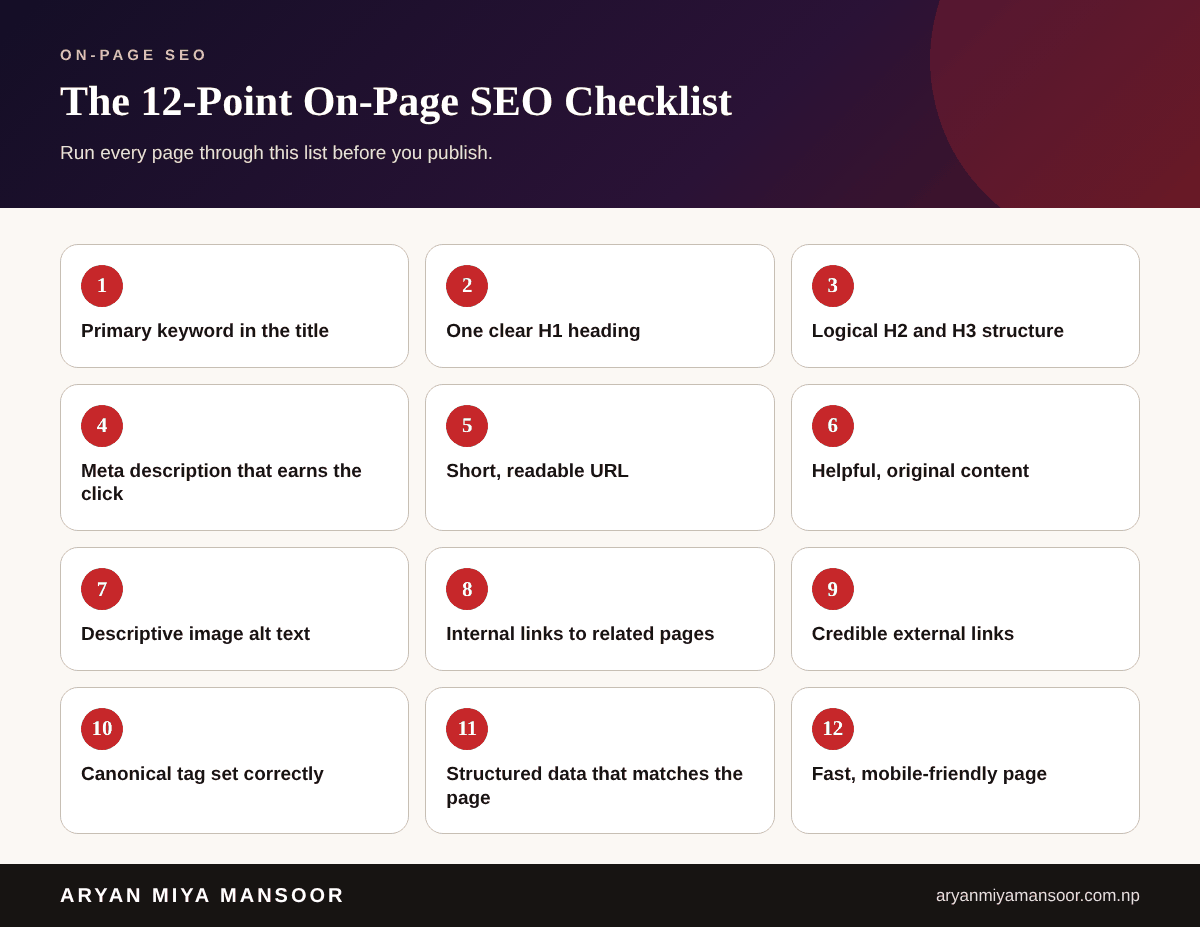
1. Put the main topic in the title tag
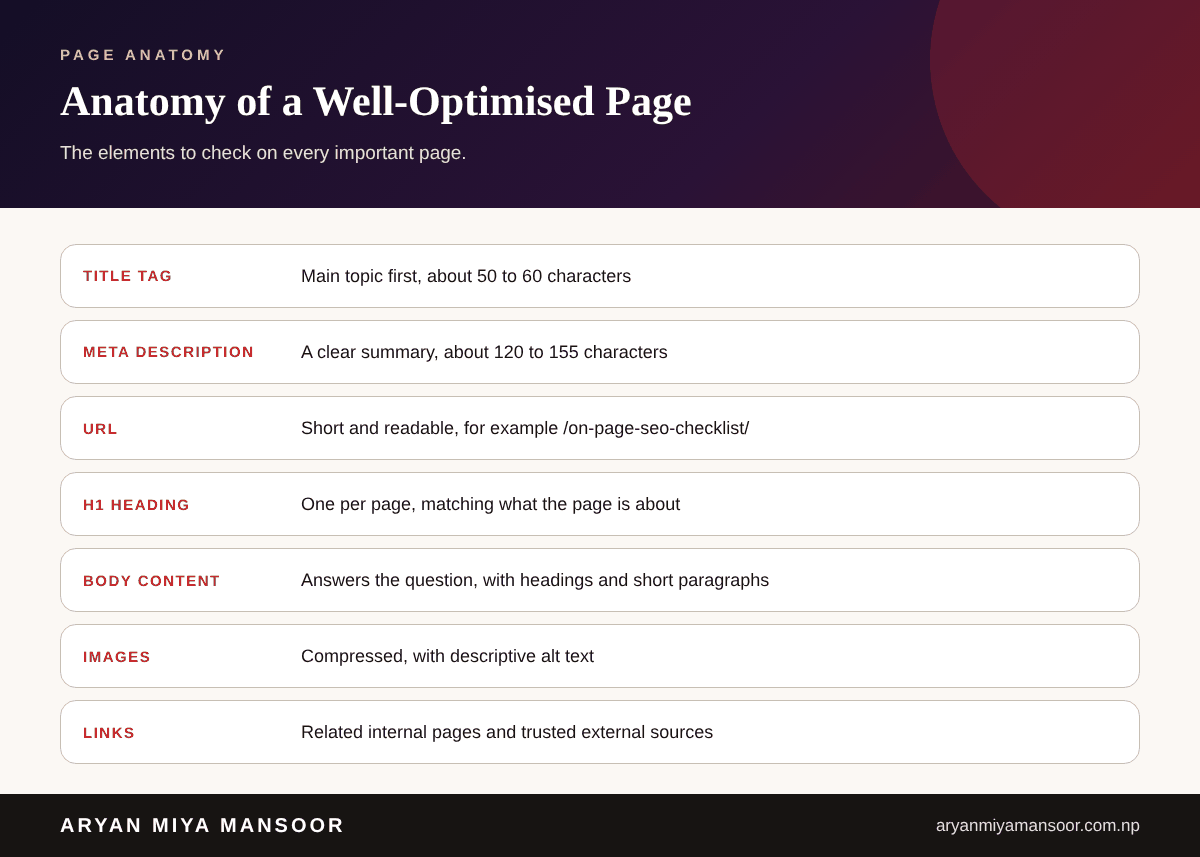
Start the title with the topic people search for, keep it to about 50 to 60 characters and make it read naturally. Give each page its own title.
2. Use one clear H1
The H1 tells visitors and search engines what the page is about. Use one per page, and make it match the title without copying it word for word.
3. Structure the page with H2 and H3 headings
Break the content into sections with logical subheadings. This helps readers scan, and it shows the hierarchy of ideas. Use H3 headings only under an H2.
4. Write a meta description that earns the click
A good description is a short, honest summary of about 120 to 155 characters. It does not directly raise rankings, but it can improve clicks. Write a unique one for every important page.
5. Keep the URL short and readable
Use lowercase words separated by hyphens, such as /on-page-seo-checklist/. Avoid long strings, dates and random numbers, and avoid changing URLs without a redirect.
6. Publish helpful, original content
Answer the question completely and add what only you know: examples, numbers from your own work and clear steps. Google's guidance is to create people-first content. If you need help producing it, see my content writing service.
7. Add descriptive alt text to images
Describe what the image shows in plain words, for example: dashboard showing growth in search clicks. Alt text helps accessibility and image search. Compress images so pages stay fast.
8. Link to related pages on your site
Internal links show which pages belong together and help visitors continue. Use descriptive anchor text. For example, a page about content can link to a guide such as how to start a blog in Nepal.
9. Link out to credible sources
Linking to trusted references such as Google's documentation supports your claims. Link only where it helps the reader.
10. Set the canonical tag correctly
If the same content can load at more than one URL, a canonical tag points to the preferred version. This avoids duplicate-content confusion. Make sure each page points to itself unless there is a reason not to.
11. Add structured data that matches the page
Schema markup, such as Article or FAQ, describes the page for search engines. Only mark up what is visible on the page, and test it with Google's Rich Results Test before you publish.
12. Check speed and mobile usability
Most visitors use phones. Test your page, shrink large images, remove unneeded scripts and check Core Web Vitals in Search Console.
How to use this checklist
Copy the list into a document and tick each item for every new page. Revisit older pages every few months using Google Search Console, and update the ones with many impressions and few clicks. If you want an expert to audit your pages, see my SEO expert in Nepal page or my SEO packages.
Conclusion
On-page SEO is simple but easy to skip. Check the title, H1, headings, description, URL, content, images, links, canonical, schema and speed every time, and your pages will be clearer for both people and search engines.
Related reading
Frequently asked questions
Related searches and topics
Need help applying this in your market?
Sources and further reading
- Google Search Central: SEO starter guide ↗
- Google Search Central: Creating helpful, reliable, people-first content ↗
- Google Search Central: Introduction to structured data ↗
- web.dev: Core Web Vitals ↗
This guide reflects my own hands-on experience and Google's published guidance at the date shown. Search changes, so check official documentation for the latest rules. Results vary by business and market; nothing here is a guarantee.
Aryan is Technical Director and SEO Manager at Softsaro Nepal and a senior SEO specialist with over 4 years of hands-on experience in SEO, Answer Engine Optimization and Generative Engine Optimization. He is based in Kathmandu, Nepal, and works remotely with businesses in Nepal and the UAE as an independent consultant, following Google’s published guidelines with no link schemes or ranking guarantees.