WordPress SEO Plugins Worth Using
Which WordPress SEO plugins are worth installing, what each type does and how to avoid slowing down your site.

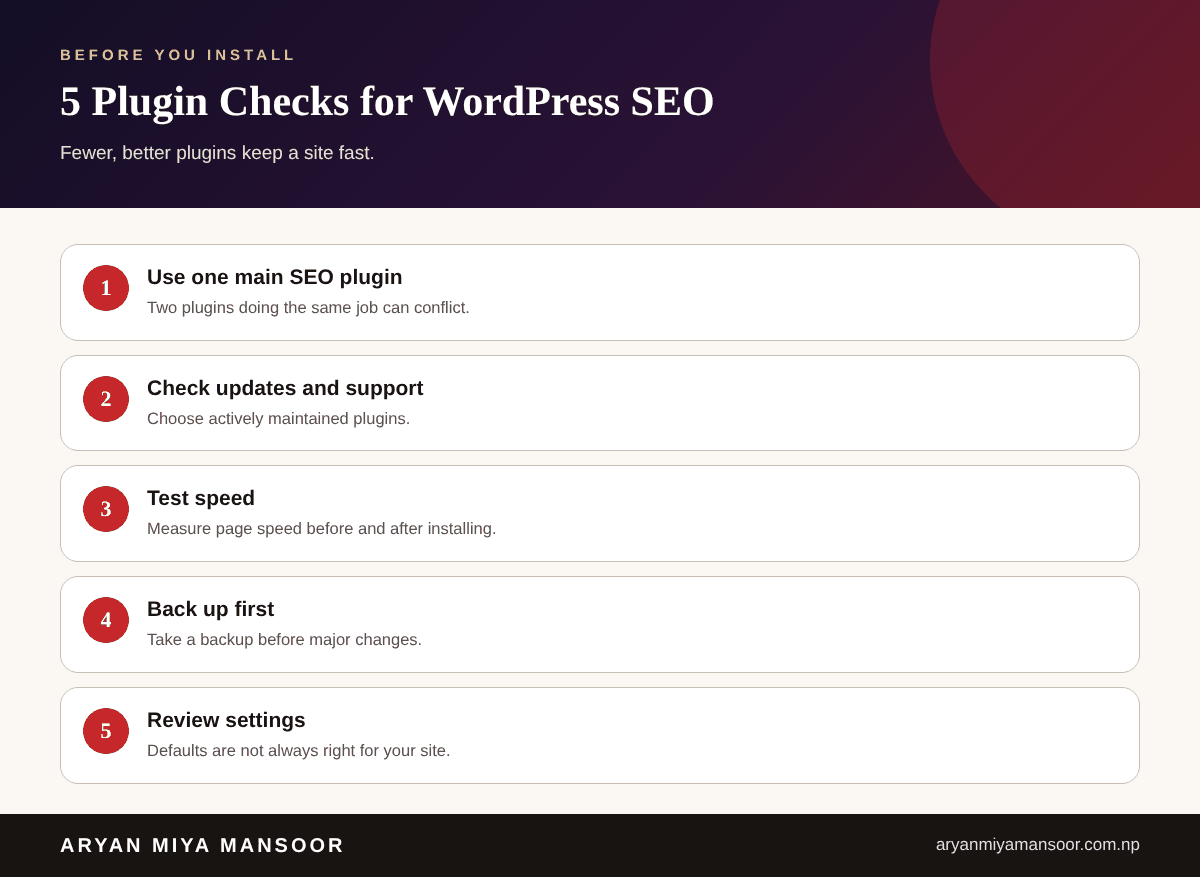
The most popular WordPress SEO plugins are Yoast SEO, Rank Math, All in One SEO and SEOPress. Choose one main plugin to manage titles, meta descriptions, sitemaps and schema, then add helpers only when needed, such as a redirect manager, an image optimiser and a caching plugin. Fewer, well-maintained plugins keep your site fast and stable.
- 1Use one main SEO plugin, not several.
- 2Plugins handle the basics. Content quality still decides results.
- 3Test speed and back up before and after installing.
- 4Check current features and pricing on each plugin's official page.
WordPress powers many business websites, and a good SEO plugin takes care of the repeat tasks. This guide explains what to look for, the popular options and how to keep your site fast. It is written by ARYAN MIYA MANSOOR, an SEO consultant in Lalitpur, Nepal.
What does an SEO plugin do?
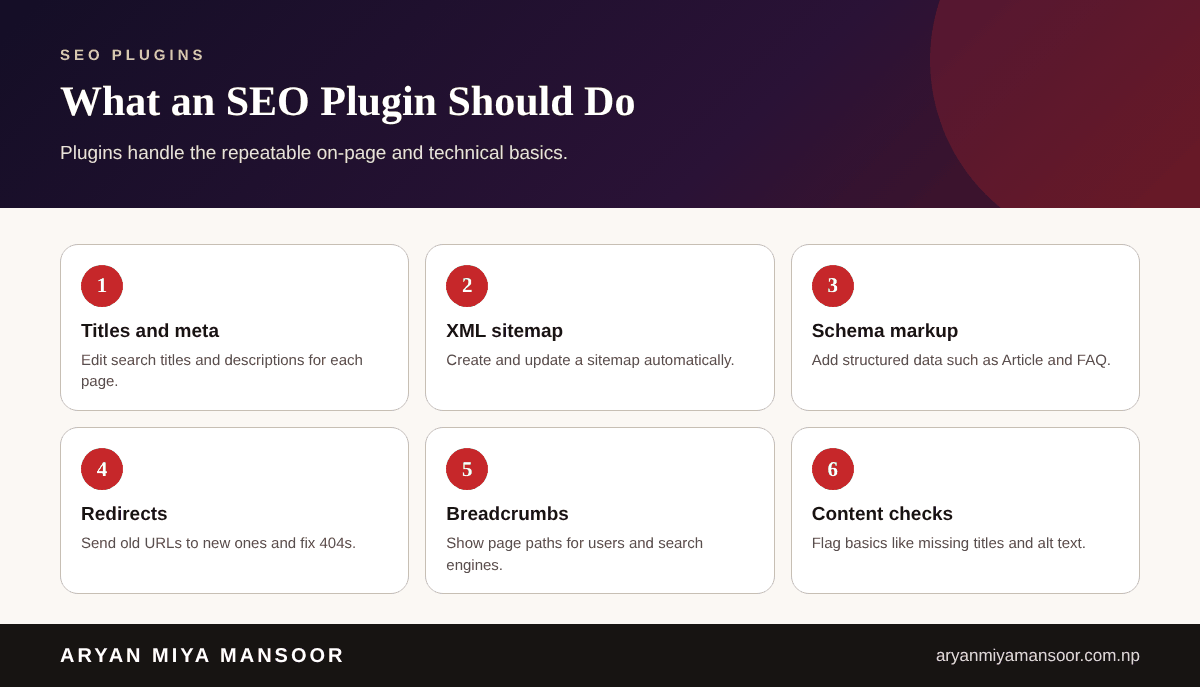

An SEO plugin lets you edit search titles and descriptions, create an XML sitemap, add schema markup and manage redirects from the WordPress dashboard. It does not write helpful content for you.
Best SEO plugins for WordPress
Main SEO plugins
- Yoast SEO: a long-established plugin with readability and SEO checks.
- Rank Math: a feature-rich plugin with many modules in the free version.
- All in One SEO (AIOSEO): beginner-friendly with a guided setup.
- SEOPress: a lighter option with a clean interface.
Features and pricing change, so read each plugin's official page before choosing.
Helpful add-ons
- Redirection: manage 301 redirects and watch for 404 errors.
- Image optimisation plugins: compress and convert images to speed up pages.
- Caching plugins: improve load time, which supports Core Web Vitals.
Install checklist
What plugins cannot do
Plugins cannot fix thin content, weak pages or poor hosting. Pair them with strong pages and the checks in my technical SEO guide and on-page SEO checklist.
How to set up your SEO plugin correctly
Installing a plugin is only the start. The settings decide whether it helps or causes problems. Work through the setup wizard slowly and review each option instead of accepting every default.
Titles and meta descriptions
Create a clear title pattern for pages and posts, then write unique titles and descriptions for your most important pages. Keep titles under about 60 characters so they are less likely to be cut off in search results.
Sitemap and indexing
Make sure the plugin creates an XML sitemap and that it only lists pages you want found. Submit it in Google Search Console and check that thin pages, such as tag archives, are not indexed by mistake.
Schema and social previews
Turn on the schema types that match your content, such as Article, FAQ or LocalBusiness, and set a default social image so shared links look professional.
Common plugin problems and fixes
- Duplicate tags: a theme or second plugin adds titles again, so disable one source.
- Slow pages: remove unused plugins and compress images.
- Wrong pages indexed: review noindex settings for archives and search pages.
- Broken links after changes: add a 301 redirect whenever a URL changes.
When a plugin setup becomes confusing, a short technical review by an experienced SEO expert such as Aryan Miya Mansoor can save weeks of trial and error.
Free or paid SEO plugins?
Free versions cover the basics for most small business sites: titles, sitemaps, schema and redirects. Paid versions add extras such as advanced schema, more keyword tracking or support. Choose paid only when you can name the feature you need, and check the current plans on the plugin's official page.
Conclusion
Pick one reliable SEO plugin, configure it properly and keep your site lean. If you want it set up correctly, see my web development in Nepal and SEO expert in Nepal pages.
Related reading
Frequently asked questions
Related searches and topics
Need help applying this in your market?
Sources and further reading
This guide reflects my own hands-on experience and Google's published guidance at the date shown. Search changes, so check official documentation for the latest rules. Results vary by business and market; nothing here is a guarantee.
Aryan is Technical Director and SEO Manager at Softsaro Nepal and a senior SEO specialist with over 4 years of hands-on experience in SEO, Answer Engine Optimization and Generative Engine Optimization. He is based in Kathmandu, Nepal, and works remotely with businesses in Nepal and the UAE as an independent consultant, following Google’s published guidelines with no link schemes or ranking guarantees.