Get Found With Google Business Profile
A complete guide to Google Business Profile: what it is, why it matters for local customers and how to set up and manage yours step by step.

Google Business Profile is a free listing that shows your business on Google Search and Google Maps with your name, address, hours, photos, reviews and website link. It matters because customers use it to decide who to call or visit. Claim it, verify it, complete every detail, add real photos and answer reviews to improve your chances of being found locally.
- 1Google Business Profile is a free listing that appears on Search and Maps.
- 2Google says local results depend on relevance, distance and prominence.
- 3Complete, accurate details and real photos build trust and help customers act.
- 4Reviews and regular updates keep the profile useful over time.
When someone nearby searches for a service, the first thing they often see is a map and a few business listings. Those listings come from Google Business Profile. This guide explains what it is, why it matters and how to set it up well. It is written by ARYAN MIYA MANSOOR, a local SEO consultant in Lalitpur, Nepal.
What is Google Business Profile?
Google Business Profile is a free tool that lets you control how your business appears on Google Search and Google Maps. You can add your address, opening hours, phone number, website, services, photos and posts, and you can read and reply to reviews. It used to be called Google My Business.

Why Google Business Profile is important
- It is where local customers look: people searching for nearby services see profiles first.
- It builds trust: photos, reviews and accurate hours show you are real and active.
- It drives action: customers can call, message or get directions without visiting your website.
- It is free: few marketing channels give so much visibility at no cost.
- It supports your wider SEO: it works together with your website and local content.
How to set up Google Business Profile
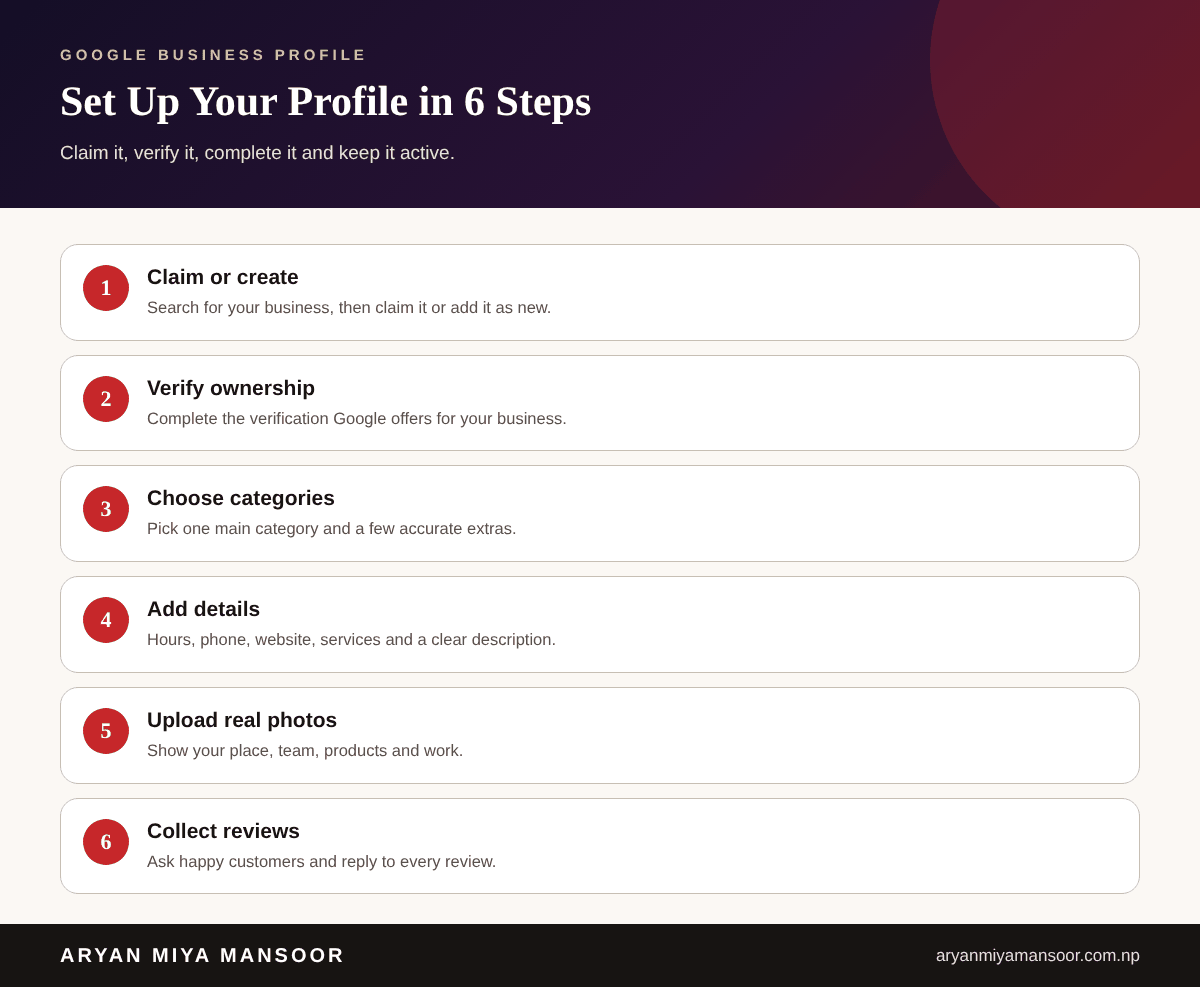
Claim or create your listing
Search for your business on Google. If it exists, claim it. If not, add it as a new business and enter your exact name, category and location.
Verify your business
Google asks you to verify that you own or manage the business. Options vary by business, so follow the choices Google shows you.
Complete every detail
Add your hours, phone, website, services and a short, honest description. Keep your name, address and phone the same on your website and other listings.
Add real photos
Upload clear photos of your shop front, team, products and finished work. Real images build more trust than stock photos.
How Google decides local rankings
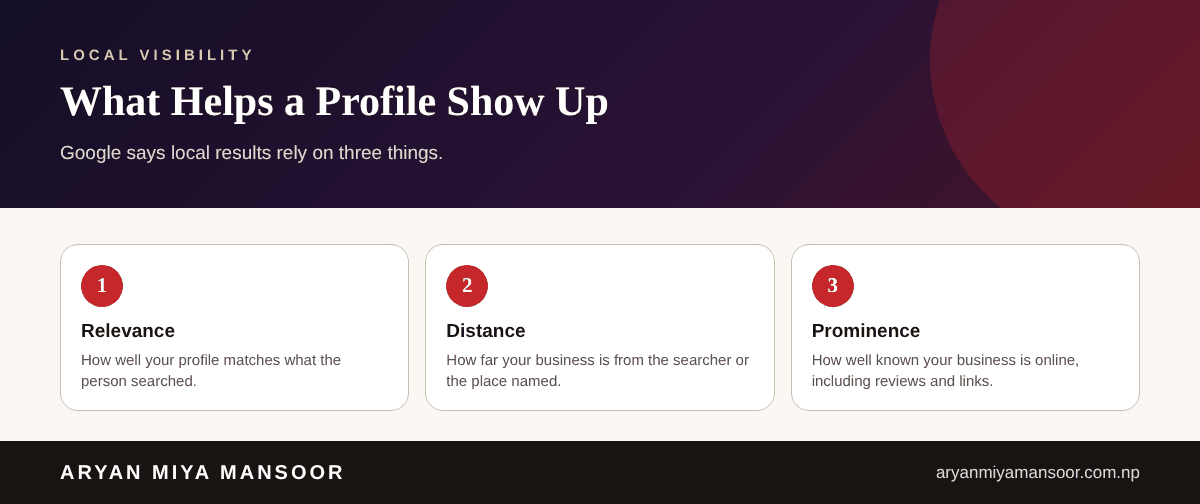
Google explains that local results depend mainly on relevance, distance and prominence. You cannot change distance, but you can improve relevance with accurate categories and descriptions, and prominence with reviews, mentions and a strong website. See my guide to the local SEO approach in the local SEO guide.
Reviews, posts and updates
- Ask happy customers for reviews and reply to all of them politely.
- Share updates, offers and events with posts.
- Update your hours for festivals and holidays.
- Check the profile every month for wrong edits or duplicates.
Common mistakes to avoid
- Adding keywords to the business name, which breaks Google's guidelines.
- Choosing too many or wrong categories.
- Ignoring negative reviews instead of replying.
- Letting phone numbers or hours become out of date.
Conclusion
Google Business Profile is one of the simplest ways to be found by nearby customers. Set it up carefully, keep it active and connect it with a helpful website. For help, see my SEO expert in Nepal page.
Related reading
Frequently asked questions
Related searches and topics
Need help applying this in your market?
Sources and further reading
- Google Business Profile Help ↗
- Google: Improve your local ranking ↗
- Google Search Central: Local business structured data ↗
This guide reflects my own hands-on experience and Google's published guidance at the date shown. Search changes, so check official documentation for the latest rules. Results vary by business and market; nothing here is a guarantee.
Aryan is Technical Director and SEO Manager at Softsaro Nepal and a senior SEO specialist with over 4 years of hands-on experience in SEO, Answer Engine Optimization and Generative Engine Optimization. He is based in Kathmandu, Nepal, and works remotely with businesses in Nepal and the UAE as an independent consultant, following Google’s published guidelines with no link schemes or ranking guarantees.